
Editing of metadata
Mar 25, 2024 | 2 min read
Editing of metadata is done via the Metadata detail view. It requires the user to be authenticated (see User authentication) and has appropriate permissions. With these conditions met, an “Edit” button appears in the “Metadata” expandable of the Metadata detail view. Editing several items at once can be achieved using the Metadata Import.
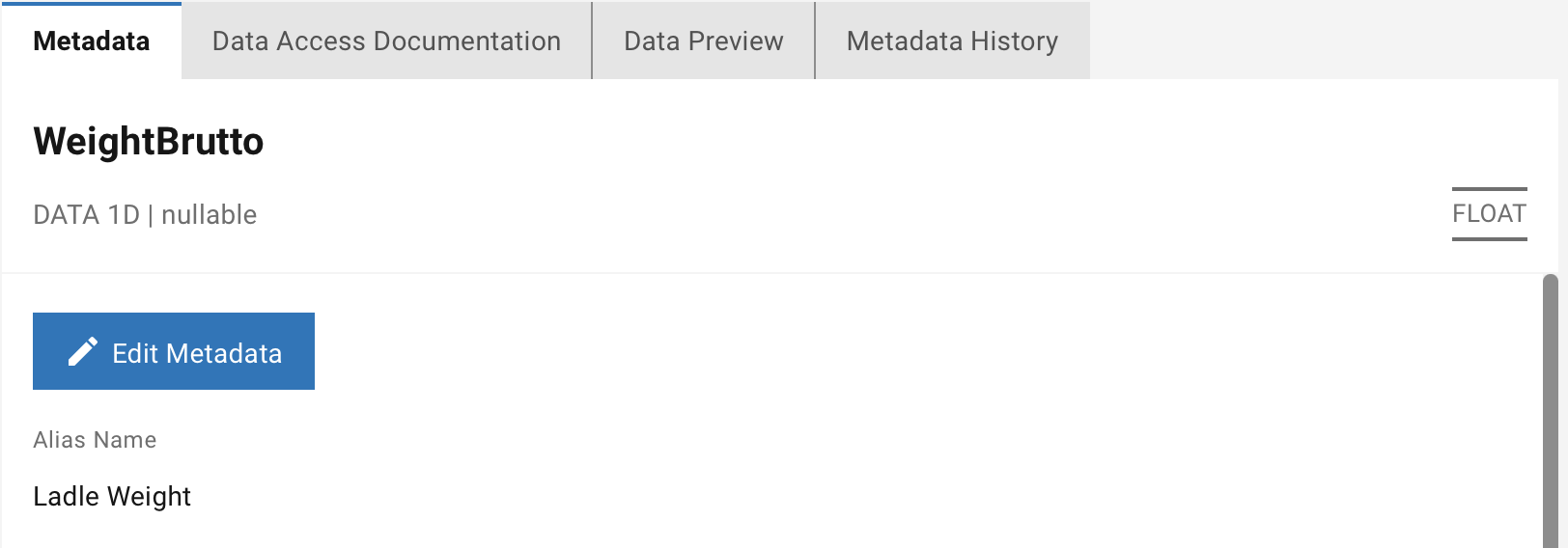
Figure 15 Metadata view with Edit button.
Clicking on the button opens a form in which the user can edit the individual metadata of the selected signal.
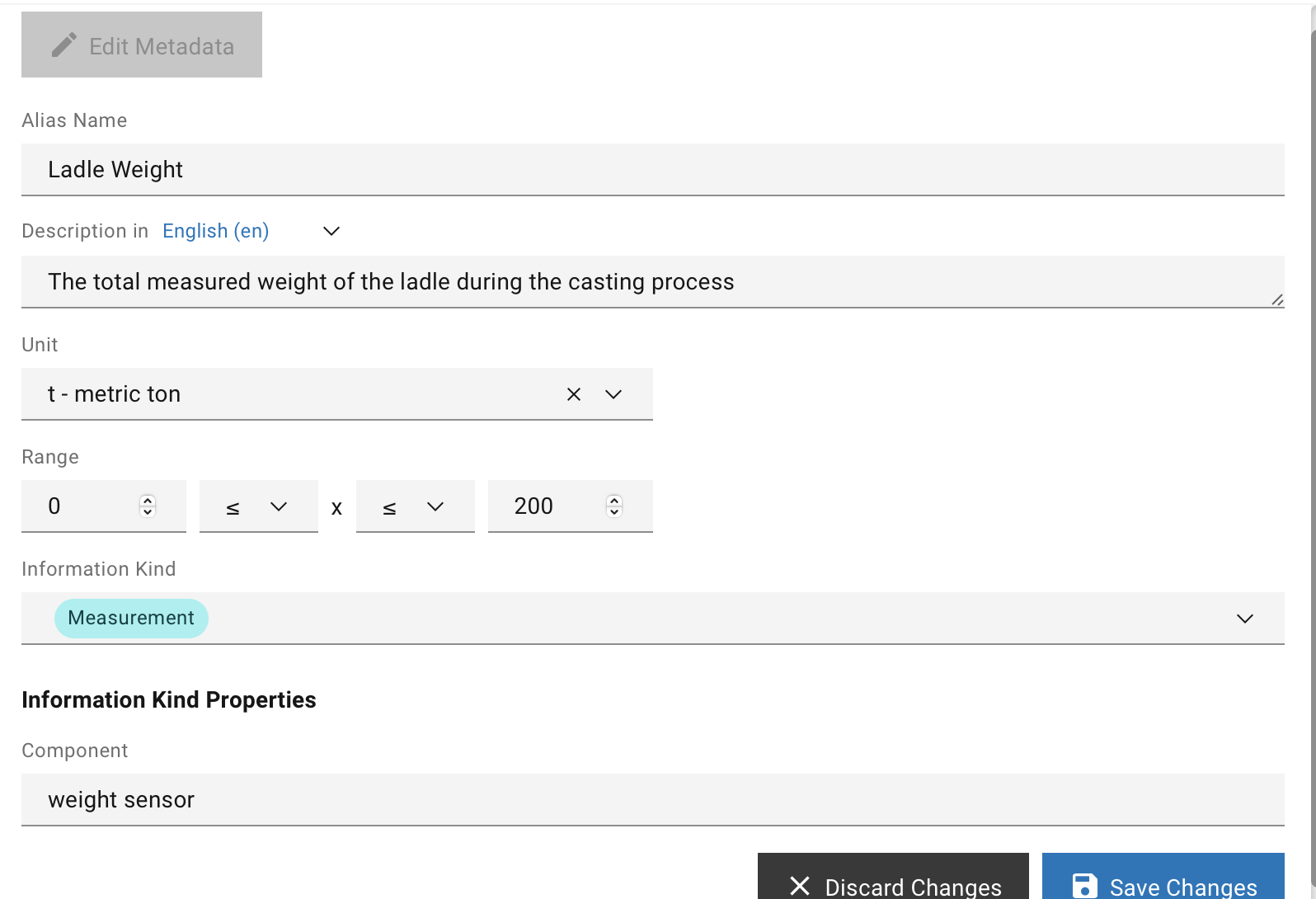
Figure 16 Edit metadata form.
For more details on the metadata, please check the Metadata model chapter.
Submitting the changes is achieved by clicking on “Save Changes.” A click on “Discard Changes” revoke any change done in the form and closes it.
Note
Changing the locations and unit in the Data Catalogue is not possible and should be done on the data source to eliminate inconsitancy.
Special functions
Certain attributes have special functionality in the UI when editing. This chapter goes into detail on those special features.
Units of measurements
The SMS Data Catalogue is delivered with a comprehensive list of units of measurement. When signals are synced from the data source into the Data Catalogue, their units symbols are matched with the list of units provided in the Data Catalogue. If a match is found the unit from the Data Catalogue is assigned to the signal, else a new unit is created automatically and assigned to it.
Edit existing units or adding new unit can be done as described inUnits of Measurement.
Description
The user can add a description in the desired language by selecting a language from the List of language. Adding more languages to the list can be achieved under the Languages configuration in the Admin Panel. The new descriptions are found in the metadata view by choosing the respective language.
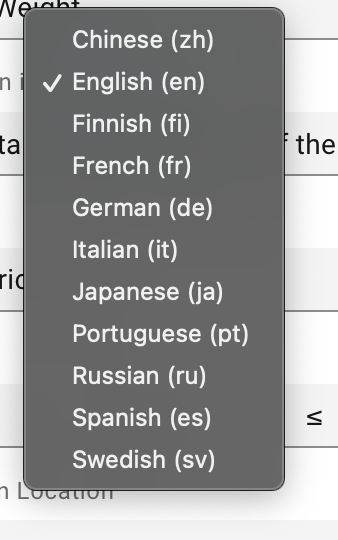
Figure 17 List of language
Plausible range
The range assures, that no invalid ranges where min > max can be configured.
Therefore, this control will swap any input where min > max.
For details please check Table 2 - "isOpen" explained.
Information kind properties
At the bottom of the Figure 16 - Edit Metadata, changes its controls based on the selected Information Kind (Type). The controls allow you to manipulate the corresponding Information kind properties.